Bankonbet Login – How to Access Your Account
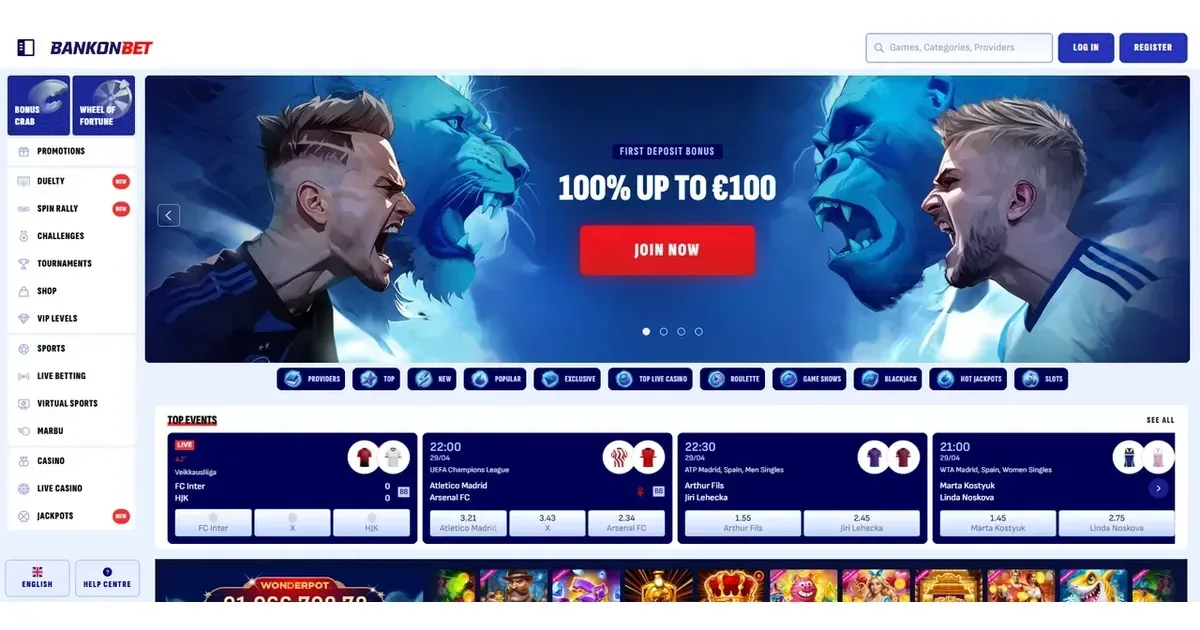















Your account lives at Bankonbet, and only the operator can restore, verify or unblock it. This portal explains how signing in works and what to do when something goes wrong.
How to sign in
- Open the operator's site at the address you bookmarked during registration.
- Find the login button and click it.
- Enter the email address you registered with.
- Enter your password.
- Confirm to reach your account.
No account yet? Registration happens directly at the operator.
When signing in does not work
Sign-in fails for a handful of reasons, most of them simple to fix:
- Wrong credentials. Check the email address matches the one used at registration, and re-enter the password carefully. Caps Lock on is the most common cause.
- Unverified account. Before your first withdrawal, the operator asks for properly certified ID and proof of residence. Until those documents are provided and processed, certain account functions may be restricted.
- Browser session issue. Clear cookies for the operator's site, or try a different browser or incognito window.
- Self-exclusion in force. If you requested a break or self-exclusion, access is blocked for the period you chose. Contact the operator's support if the period has ended but access is still restricted.
- Account inactive. After 180 days without activity, a 5 EUR administration fee is charged monthly. The account remains accessible, but extended inactivity can lead to further restrictions.
Password recovery the safe way
Forgotten your password? The operator sends a reset link to the email you registered with. Check your spam folder if it does not arrive within a few minutes. The link expires after a short period, so use it promptly.
If the registration email is no longer reachable, contact the operator's support at the address below. You will need to verify your identity before they can link a new email to your account.
Signing in from a phone
The operator's site works in a mobile browser, using the same account and password as on desktop. No separate mobile credentials are needed. The site adapts to smaller screens, and all account functions remain available.
Account blocks and restrictions
| Cause | What happens |
|---|---|
| Verification requested | Withdrawals are held until documents are provided and processed, usually within 10 days after the request is answered in full. The operator asks for this before and after deposits, or before a withdrawal. |
| Documents overdue | You have 30 days to provide the requested ID and proof of residence. If the deadline passes, further restrictions apply. |
| Self-exclusion | If you requested a break, access is blocked for the period you set. The operator cannot lift this early – it exists to protect you. |
| Low monthly activity | If you have not met a minimum monthly wagering threshold of 20 EUR within the calendar month of a withdrawal request, the operator reserves the right to decline it. |
Who to contact for help
Account problems go to the operator's support channels. We list the ones confirmed by the operator:
- Live Chat – available around the clock.
- Email – [email protected].
Have these ready before you write: the email on your account, the approximate time the problem started, and the exact message shown on screen. A detailed first message usually means a useful first reply.
This portal cannot access, verify or restore accounts. Questions about content on this site go to [email protected].
Keeping access safe
Sign in only on the operator's own address – typed into the browser or reached through a bookmark you saved yourself. Never follow a link in an email or a message, even if it looks legitimate. Phishing sites copy the operator's design exactly.
Use a password that exists nowhere else. If one site's database leaks, a unique password keeps every other account safe.
Sign out after each session on a shared device. A browser left signed in is an open account.
Gambling should stay entertainment. If it stops feeling that way, free and confidential support is available at BeGambleAware.org, or call the National Gambling Helpline on 0808 8020 133. GamStop offers free self-exclusion across all UK-licensed sites. This site is for players aged 18 and over (18+).
Last updated:
Frequently asked questions
Can I sign in to Bankonbet from my phone?
Yes. The operator's site works in a mobile browser, using the same email and password as on desktop. All account functions remain available on a phone.
What do I do if I have forgotten my Bankonbet password?
Use the password reset option on the operator's login screen. A reset link is sent to the email you registered with. If that email is no longer accessible, contact the operator's support to verify your identity and link a new one.
Why is my Bankonbet account blocked?
Common causes include verification documents requested but not yet provided, a self-exclusion period you set yourself, or extended inactivity triggering monthly administration fees. Contact the operator's support for the specific reason and what is needed to restore access.
Game Providers